Tips for Creating a Cozy and Productive Home Office Space

Creating a home office that is both cozy and productive can significantly improve your work-from-home experience. A well-designed space encourages focus, reduces distractions, and supports good ergonomics—all while making you feel comfortable and motivated. Whether you have a dedicated room or a small corner in your home, these tips will help you craft the ideal environment for your daily tasks.
Choose the Right Location
Selecting the right spot for your home office is the foundation of creating a productive workspace. Consider these factors:
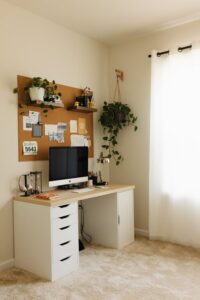
– Natural Light: Position your desk near a window if possible. Natural light boosts mood and reduces eye strain.
– Quietness: Choose a quiet area away from household noise or distractions for better concentration.
– Space Availability: Make sure the spot has enough room for your essential furniture and equipment.
If space is limited, consider creative solutions like a fold-away desk or using a nook with efficient storage.
Invest in Comfortable and Functional Furniture
Comfort and ergonomics are key to maintaining productivity throughout the day:
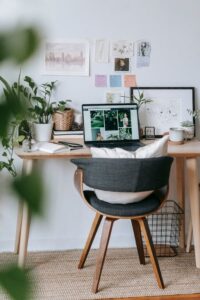
– Ergonomic Chair: Invest in a chair with good lumbar support and adjustability to protect your back.
– Desk Height: Ensure your desk is at a comfortable height where your elbows rest naturally at 90 degrees.
– Monitor Placement: The top of your screen should be at or slightly below eye level to prevent neck strain.
If possible, try a sit-stand desk or add a standing desk converter to alternate positions during the day.
Optimize Lighting
Proper lighting reduces eye fatigue and improves focus:
– Layered Lighting: Combine natural light, overhead lighting, and task lighting to create a balanced setup.
– Desk Lamp: Use an adjustable desk lamp with warm LED bulbs to illuminate your workspace without glare.
– Avoid Screen Glare: Position monitors perpendicular to windows or use curtains/blinds to minimize glare.
Declutter and Organize
A tidy workspace fosters clear thinking and efficiency:
– Storage Solutions: Use shelves, drawers, and organizers to keep supplies and documents neatly stored.
– Cable Management: Use clips, sleeves, or boxes to handle cords and cables, preventing tangles and distractions.
– Minimal Decor: Decorate with only a few personal items that inspire you but don’t overcrowd the area.
Consider regular tidying habits, like a quick desk clear-up at the end of each day.
Personalize Your Space
Adding personal touches can make your home office inviting and help reduce stress:
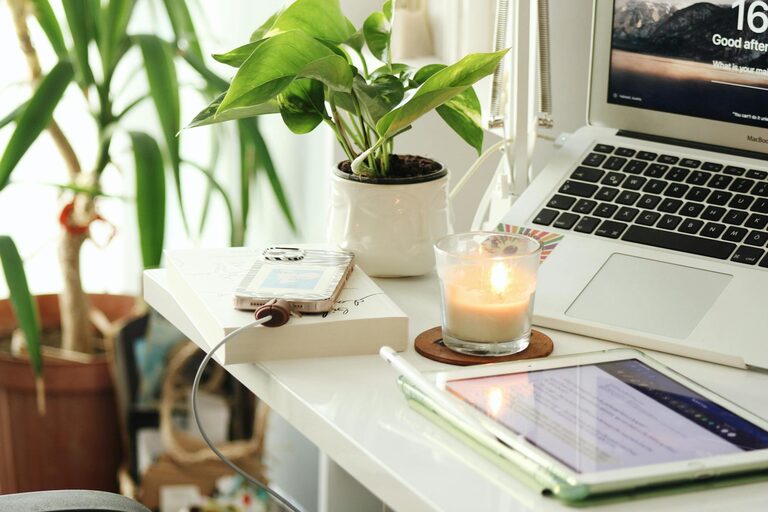
– Plants: Incorporate a few indoor plants to add color and improve air quality.
– Artwork and Photos: Hang art or photos that motivate you but avoid overwhelming your walls.
– Comfort Accessories: Add a soft rug, cozy throw blanket, or cushions to boost comfort.
Establish Boundaries and Routines
Creating clear boundaries helps separate work from home life:
– Defined Workspace: Keep work materials in your office area only to mentally “leave” work at the end of the day.
– Regular Hours: Set consistent work hours and take breaks to avoid burnout.
– Signage or Signals: Use signs or signals at your workspace door to inform others when you’re working and should not be disturbed.
Use Technology Wisely
Choosing the right technology can enhance productivity:
– Reliable Internet: Ensure you have a stable internet connection with sufficient speed.
– Noise-Canceling Headphones: Use these if your environment is noisy or to help focus.
– Productivity Apps: Utilize apps or tools for task management, time tracking, and communication.
Enhance Air Quality and Temperature
Comfort also involves a pleasant physical environment:
– Ventilation: Keep your office well-ventilated by opening windows when possible or using air purifiers.
– Temperature Control: Use fans, heaters, or humidifiers to maintain a consistent, comfortable temperature.
—
By combining comfort and functionality, your home office can become a space where productivity naturally flourishes. Take time to adjust your setup as needed—your perfect workspace evolves with your needs. Happy working!