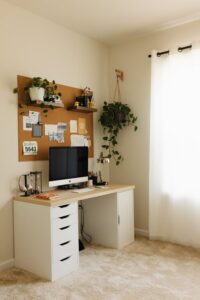
Tips for Creating a Cozy and Inviting Home Workspace

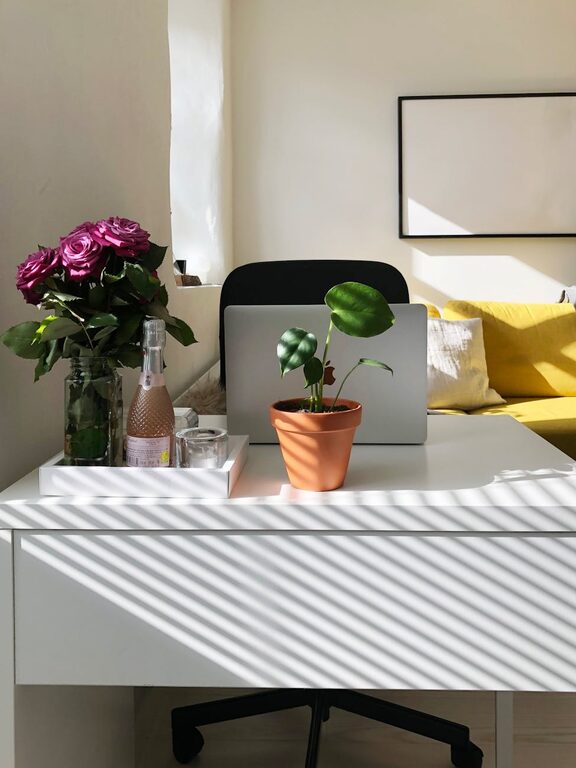
Creating a cozy and inviting home workspace is essential for anyone working or studying from home. A well-designed workspace not only enhances comfort but also improves focus and productivity. Whether your space is large or small, making a few thoughtful adjustments can transform it into a welcoming area that inspires you to be your best self. Here are practical tips to help you design a cozy home workspace you’ll enjoy.
1. Choose the Right Location
Finding the ideal spot for your workspace is the first step. Consider the following:
– Natural Light: Position your desk near a window to take advantage of natural light. Sunlight can improve your mood and reduce eye strain.
– Quiet Area: Pick a space away from high-traffic areas to minimize distractions.
– Ventilation: Ensure there’s good airflow to keep the space fresh and comfortable.
2. Invest in Comfortable Furniture
Comfort is key when you spend long hours working:
– Ergonomic Chair: Choose a chair that supports your back and encourages good posture. Adjustable features add flexibility.
– Desk Height: Your desk should be at a height that allows your forearms to rest comfortably when typing.
– Footrest: If your feet don’t sit flat on the floor, consider using a footrest to reduce strain.
3. Personalize Your Workspace
Adding personal touches makes the area feel welcoming and uniquely yours.
– Decor: Include plants, artwork, or photos that inspire you.
– Colors: Use calming or warm colors to create a cozy atmosphere. Soft blues, greens, and warm neutrals work well.
– Textiles: A small throw blanket or cushion can add softness and warmth.
4. Optimize Lighting
Proper lighting is essential to reduce fatigue and maintain focus.
– Layered Lighting: Combine natural light with task lighting and ambient lighting.
– Desk Lamps: A good desk lamp with adjustable brightness helps when working late or on detailed tasks.
– Avoid Glare: Position screens and lamps to minimize glare on monitors.
5. Keep It Organized
A clutter-free environment is more relaxing and efficient.
– Storage Solutions: Use shelves, drawers, or cabinets to keep supplies tidy.
– Cable Management: Use clips or sleeves to keep cords neat and out of the way.
– Daily Clean-Up: Spend a few minutes at the end of each day tidying your workspace.
6. Incorporate Elements That Reduce Stress
Creating a calming atmosphere helps maintain productivity.
– Aromatherapy: Essential oil diffusers or scented candles with lavender or eucalyptus can be soothing.
– Sound: Gentle background music, white noise, or nature sounds can help concentration.
– Break Area: If space allows, include a cozy chair or corner for short breaks and relaxation.
7. Use Technology Wisely
Technology should aid your work, not create distractions.
– Quality Equipment: Invest in a reliable computer, keyboard, and mouse.
– Monitor Stand: Elevate your screen to eye level to avoid neck strain.
– Headphones: Noise-canceling headphones can help block out distractions if needed.
8. Maintain Comfort with Temperature Control
Being too hot or cold affects concentration.
– Fans or Heaters: Portable devices allow you to control your workspace temperature.
– Window Treatments: Use curtains or blinds to block excess sun or cold drafts.
9. Plan Your Layout
Arrange your furniture and items in a way that feels natural and efficient.
– Accessibility: Keep frequently used items within easy reach.
– Clear Pathways: Avoid overcrowding the space to allow easy movement.
– Dual Use: If your workspace doubles as another room, use room dividers or rugs to separate zones.
Conclusion
Designing a cozy and inviting home workspace doesn’t require a major renovation or expensive purchases. Focus on comfort, organization, and personalization to create a space where you feel motivated and relaxed. By paying attention to lighting, furniture, and ambiance, you can turn even the smallest corner of your home into an inspiring workplace that encourages productivity and well-being. Take your time to try these tips and make adjustments that fit your lifestyle and preferences for the best results.