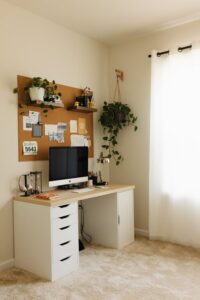
Tips for Creating a Relaxing Home Workspace to Boost Productivity

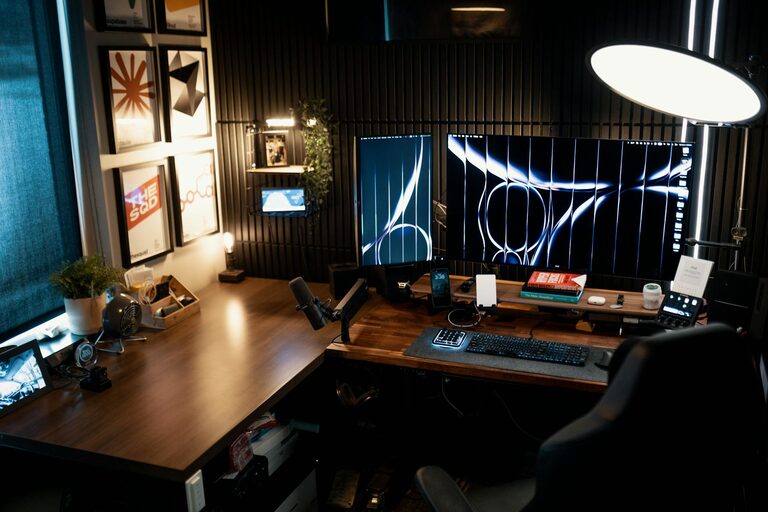
Creating a relaxing home workspace is key to improving both your productivity and overall well-being. When your work area feels calm and inviting, it becomes easier to focus and sustain energy throughout the day. Whether you’re working remotely full-time or occasionally from home, setting up a peaceful environment can make a significant difference.
In this post, we’ll explore actionable tips to help you design a workspace that balances comfort and productivity, turning your home office into a place where creativity and relaxation coexist.
Choose the Right Location
Find a Quiet Spot
Select a space that experiences minimal noise and foot traffic. A quiet spot reduces distractions and helps maintain concentration. Avoid high-traffic areas like the kitchen or living room if possible.
Maximize Natural Light
Work near a window to benefit from natural daylight. Natural light enhances mood and cuts down on eye strain. Position your desk so the light doesn’t create glare on your screen.
Invest in Comfortable Furniture
Ergonomic Chair and Desk
Comfort is essential. An ergonomic chair with good lumbar support and an adjustable desk can help maintain correct posture and prevent discomfort during long work sessions.
Desk Size and Layout
Ensure your desk is spacious enough to hold your computer, essential supplies, and a little extra space for writing or other tasks. Keep tools and materials within easy reach to minimize interruptions.
Keep Your Workspace Organized
Declutter Regularly
A cluttered desk can cause distractions and stress. Regularly clear unnecessary papers, unused supplies, and random items to keep your workspace tidy.
Use Storage Solutions
Use shelves, drawers, or organizers to store supplies neatly. Label containers and use drawer dividers to create designated spaces for different items.
Incorporate Soothing Colors and Decor
Choose Calming Colors
Soft shades of blue, green, or neutral tones can create a tranquil atmosphere. Avoid overly bright or harsh colors that may cause stimulation or fatigue.
Add Personal Touches
Incorporate simple decor such as plants, photos, or artwork that makes the space feel inviting but not overwhelming.
Manage Technology Wisely
Minimize Digital Clutter
Keep your computer desktop organized, and close unused tabs and programs to avoid feeling overwhelmed.
Use Cable Management
Tidy up cords with clips or sleeves to create a cleaner look and prevent distractions caused by tangled cables.
Introduce Natural Elements
Indoor Plants
Adding a few low-maintenance plants not only improves air quality but also contributes to a calming environment. Plants like succulents or snake plants are good choices for beginners.
Fresh Air and Scents
If possible, open a window for fresh air. Consider using natural scents like lavender or eucalyptus with essential oils or diffusers to promote relaxation.
Optimize Lighting and Screen Setup
Adjustable Lighting
Use a desk lamp with adjustable brightness to reduce eye strain, especially during darker hours.
Monitor Position
Position your computer monitor at eye level and roughly an arm’s length away to maintain good posture and prevent neck strain.
Create Boundaries Between Work and Relaxation
Clear Start and End Times
Set specific working hours to help your mind distinguish between work time and leisure time. This separation improves focus during work and relaxation afterward.
Separate Work Tools from Leisure Items
Try to keep work materials contained within your workspace. Avoid using your workspace for leisure activities like watching TV or gaming.
Add Comfort Features
Soft Textiles
Include a cozy chair cushion or footrest to improve comfort.
Hydration and Snacks
Keep a water bottle nearby and healthy snacks accessible to maintain energy without unnecessary breaks.
Practice Regular Breaks in Your Workspace
Follow the 20-20-20 Rule
Every 20 minutes, look at something 20 feet away for 20 seconds to reduce eye strain.
Move and Stretch
Incorporate light stretching or short walks to boost circulation and reduce stiffness.
Final Thoughts
By creating a relaxing home workspace tailored to your needs, you can enhance focus, reduce stress, and improve productivity. The key lies in balancing ergonomic comfort, organization, and calming aesthetics. Start with small changes and adjust your space over time to find what works best for you. Ultimately, a purposeful and peaceful workspace supports your professional goals and personal well-being.